Short answer: ASO for games is the work of getting your game found in App Store and Google Play search, then chosen once a player sees it. In 2026 that means genre and intent keywords in the fields each store indexes, store creative that shows real gameplay in the first three frames, in-app events and Google Play promotional content run as one live-ops calendar, Custom Product Pages matched to your UA creative themes, and native store tests read with discipline. ASO does not replace paid user acquisition. It makes every paid and organic visit to your store page convert better.
Table of Contents
This guide is for heads of UA and product marketing at mid-size game studios, and ends with a 90-day plan. If you would rather have a team run it, our ASO agency for games handles keywords, store creative and native tests on both stores.
Why ASO matters for mobile games in 2026
- Search is still the front door. Apple says 65% of App Store downloads start with a search (Apple Ads).
- Paid installs drive most game revenue. AppsFlyer’s State of App Monetization 2026 finds that paid installs generate 59% of gaming in-app purchase revenue in the stores: 79% for hypercasual, 64% for casino, 61% for casual and 49% for midcore.
- Game revenue is flat. The State of Mobile 2026 report puts 2025 revenue from in-app purchases and paid apps and games at $167 billion, with non-game in-app revenue passing games for the first time. Game in-app revenue grew 1.3%, to almost $82 billion.
Paid taps still land on a store page, and the remaining 41% of game revenue comes from players you did not pay to acquire. In a flat category, the cheapest installs are the ones your store page already earns.
Search is also more crowded: Apple now runs ads both at the top of App Store search results and further down the page (Apple Ads help). Your icon, first screenshots and preview video have to win the tap.
Keyword research for games: genre and player intent
Until your game is a household name, players search for what they want to play. Group research around five kinds of intent:
- Genre: “idle rpg”, “match 3”, “tower defense”.
- Mechanic: “merge”, “deck building”, “auto battler”.
- Theme or setting: “zombie”, “farm”, “medieval”.
- Mode: “offline”, “multiplayer”, “pvp”.
- Brand and IP: your game, your franchise and any licensed IP you hold.
Leave other games’ names out: Apple’s App Review Guidelines (2.3.7) prohibit packing metadata with popular app names.
Where the words go on each store
| Field | App Store | Google Play |
|---|---|---|
| Name or title | Up to 30 characters, indexed | Up to 30 characters |
| Second line | Subtitle, up to 30 characters, indexed | Short description, up to 80 characters, shown in search results |
| Hidden keywords | Keyword field, 100 characters, commas and no spaces | None |
| Long text | Description; Apple advises against adding keywords to it | Full description, up to 4,000 characters, in natural sentences |
| Category | Primary and secondary category indexed; games can add two subcategories | The category that matches your game |
Apple ranks results on text relevance (title, subtitle, keywords and primary category) plus user behavior such as downloads, ratings and reviews. Do not repeat words across those fields, and skip generic words such as “game”. On Google Play, the title and descriptions carry the terms, and Google warns that repetitive or irrelevant keywords can get an app suspended.
A keyword process that fits a game team
- Build a seed list from your genre, mechanics, themes and modes, in each market’s language.
- Search each seed in the store. If the ranking games do not look like yours, the term will not convert.
- Pull the search terms that already convert from your Apple Ads account.
- Score terms on relevance, volume and difficulty. Put the strongest in the title and subtitle, the rest in the iOS keyword field and your Google Play descriptions.
- Track rankings per market weekly and revisit after every major content update.
A game name that tells players the setting and the conflict, as Subway Surfers and Plants vs. Zombies do, does keyword and brand work at once. For teams coming from web SEO, here is how the disciplines differ.
Icon, screenshots and preview video for games
Most players decide from the search results row. On the App Store, app previews autoplay in search results and on the product page (up to three per language, each up to 30 seconds), and without a preview the first one to three screenshots show in search. On Google Play, the preview video appears before your screenshots and can autoplay muted for up to 30 seconds.
The first-three-frames rule
- Frame one sells the core loop: the board in a puzzle game, the battle in a strategy game, the build in a base builder.
- Frame two sells depth: progression, collection, characters or social play.
- Frame three sells the hook that sets you apart: a mechanic, IP, story or live event. Keep captions short and localized.
Gameplay fidelity and genre conventions
Apple asks for more gameplay than cutscenes, and Google wants the actual in-game experience within the first 10 seconds of the video. The commercial reason matters more: if your ads promise one game and the store shows another, you pay for the tap and lose the install.
Casual and puzzle players look for a readable board and a clear goal; midcore and strategy players look for characters, power and competition. Match the conventions, then break one to stand out.
Two store rules hit games in particular. Apple requires icons, screenshots and previews to suit a 4+ age rating even when the game is rated higher, so a shooter should not show a gun pointed at a character. Google Play needs at least three 16:9 landscape (1920×1080 minimum) or three 9:16 portrait (1080×1920 minimum) screenshots for a game to be eligible for recommendations. Your icon appears everywhere, from search to the home screen, so test it early; Apple’s Product Page Optimization needs every alternate icon in your app binary.
In-app events and promotional content: live ops as an ASO lever
Both stores turn a game’s live-ops calendar into visibility.
Top games already use this far more than other apps. In our State of App Store Listings 2026 study of 1,000 top US apps, 52% of the top 50 free games had at least one In-App Event live and 28% had an app preview video, against 22.5% and 11.4% for apps in other categories.
Apple In-App Events. An app can have up to 10 events published and up to 15 approved at a time. Each can last up to 31 days and be promoted up to 14 days before it starts, and events are reviewed without a new app version (Apple). They appear on your product page, in search results and in editorial and personalized picks on the Today, Games and Apps tabs. In search, existing players see the event card, new players see your screenshots, and anyone can search for an event by name.
Google Play promotional content. Google renamed LiveOps to promotional content in 2022. It is available for all games and covers offers, time-limited events and major updates. Events show on your store listing and may appear on the Play homepage and in search. Submit at least four days ahead, or 14 days if you request featuring; events run up to four weeks (Play Console Help). Google reports that apps that submit promotional content and request featuring can see over twice as many explore acquisitions during a featuring window.
Run both from one calendar, name events with words players search for, and update your App Store promotional text (editable without an app update) each season.
Custom Product Pages per UA creative theme
Custom Product Pages (CPPs) are the biggest shift in App Store ASO for games. Apple allows up to 70 per app, each with its own screenshots, previews and promotional text. You can now assign keywords to a CPP so it appears in organic search for those terms instead of your default page. Each keyword combination can belong to one page only and must match the page’s intent. Apple Ads can send Today tab, Search tab and search results traffic to the same pages, and deep links (iOS 18 and later) can drop players into the matching part of the game.
The practical model for a game is one CPP per UA creative theme:
- List the themes your paid creative already proves out, such as “story and mystery” or “PvP battles”, and build one CPP per theme whose first frames match those ads.
- Group your Apple Ads keywords into matching clusters and point each ad group at its CPP. Our Apple Ads agency team structures campaigns this way.
- Assign the same keyword cluster to the CPP organically, so paid and organic searchers for “detective game” land on the same page.
- Add a deep link to the matching mode, chapter or event.
A CPP is not an A/B test, as our Custom Product Pages guide explains. On Google Play, custom store listings are the equivalent: up to 50, targetable by country, churned and lapsed users, pre-registration and Play search keywords.
Creative Assets and the Apple Games app
At WWDC26 in June, Apple announced Creative Assets for this year: rich images and videos in the product page header and in search results, meant for brand moments, seasonal offers and new content. They work with Custom Product Pages and Product Page Optimization. A new Asset Library in App Store Connect lets you reuse assets across CPPs and In-App Events, with review independent of app updates. For games, the store header becomes a live-ops surface: plan season art in three cuts, for the game, the Creative Asset and the ad.
The Apple Games app, which arrived with iOS 26, iPadOS 26 and macOS Tahoe 26, is the other new surface. Every App Store game appears there automatically. Apple says games with Game Center features and In-App Events are prominently displayed, and Game Center initialization lets a game appear in social recommendations and a Top Played chart. The game page reuses your App Store description, screenshots and previews, and game developers will be able to propose special offers for the Games app through Featuring Nominations. That makes Game Center and events partly an ASO decision.
Testing: Product Page Optimization and Store Listing Experiments
| Item | Apple Product Page Optimization | Google Play Store Listing Experiments |
|---|---|---|
| What you can test | Icon, screenshots, app previews | Icon, feature graphic, screenshots; descriptions in localized experiments |
| Variants | Up to three treatments against the original | Up to two variants against the current listing |
| Limits | Runs up to 90 days | One default graphics or up to five localized experiments at once; stops after six months |
| Result rule | Apple recommends waiting for at least 90% confidence | You set a minimum detectable effect and confidence level; smaller differences end in a “Draw” |
Sources: Apple and Google Play.
Neither store publishes a minimum traffic level. Google estimates test duration at setup, and Apple warns that your choice of localizations can make a test run longer. For a mid-size game:
- Test big ideas, such as a new first-screenshot concept or icon character, not caption colors.
- Use fewer variants in lower-traffic markets, and test in your biggest market first.
- Run whole weeks, and avoid starting during a UA burst, a featuring or a major event, which change who visits the page.
An inconclusive result is still a result: that element is not what holds conversion back. Do not ship the leading variant by eye; keep the current listing and test a bigger change.
Localization for game markets
Apple notes that a localized product page may make people more likely to download your game. For games, localize three layers:
- Keywords, researched per market. Players in each market use their own words, loanwords and abbreviations for the same genre. Research in the local language and fill each App Store localization’s own keyword field.
- Creative. Translate captions and, where it matters, adapt art, characters and color to local taste.
- Live ops. Time events and offers to local holidays and seasons.
Our NeuroNation Korea case study shows the method, although NeuroNation is a brain-training app, not a game. The team researched Korean search terms in Hangul and rebuilt the title, subtitle and keyword field for the Korean App Store, which lifted App Store search downloads by 93%.
One US note: Apple’s App Store Tags appear in search results and on the product page, are generated from your US English metadata with AI and human curation, and are currently shown only in the United States. Describe your gameplay clearly in en-US metadata and deselect tags that do not fit.
Ratings and reviews, done legitimately
Both stores use ratings and reviews in search ranking, and players read them before installing. Ask the right players at the right moment:
- Use the native prompts. Apple’s review API allows up to three prompts in a 365-day period, and Apple disallows custom review prompts. Google’s In-App Review API has a quota, so repeated calls in a short period may show nothing.
- Pick a winning moment. Google’s own example is the end of a level. Ask after a win, a level-up or a finished chapter, never after a loss, a crash or a paywall.
- Do not gate or bribe. Google’s guidelines say not to ask whether players like the app before the prompt, and both stores ban incentives for ratings. No gems for five stars.
Buying or seeding reviews breaks the rules of both stores. Apple says it may expel developers who manipulate reviews or use third-party services to do so, and Google Play’s policy prohibits fraudulent or incentivized ratings and reviews.
Measurement: App Store Connect, Play Console and the new Play metric
- App Store Connect. Split downloads by source (search, browse, app and web referrers) and track conversion rate from unique impressions to downloads. App Analytics also reports each Custom Product Page and In-App Event. The App Store search source includes Apple Ads in search results, so separate your Apple Ads data before you call a change organic.
- Play Console. From July 2026, Google Play’s store listing reports use click-through rate, the share of listing visitors who tap Install, Open or Pre-register, in place of the old conversion rate. Reset your baseline at the switch, and read store listing acquisitions next to CTR, because a click is not yet an install.
- Your attribution tool. Track organic installs next to paid installs and blended cost per install.
A 90-day ASO plan for a game
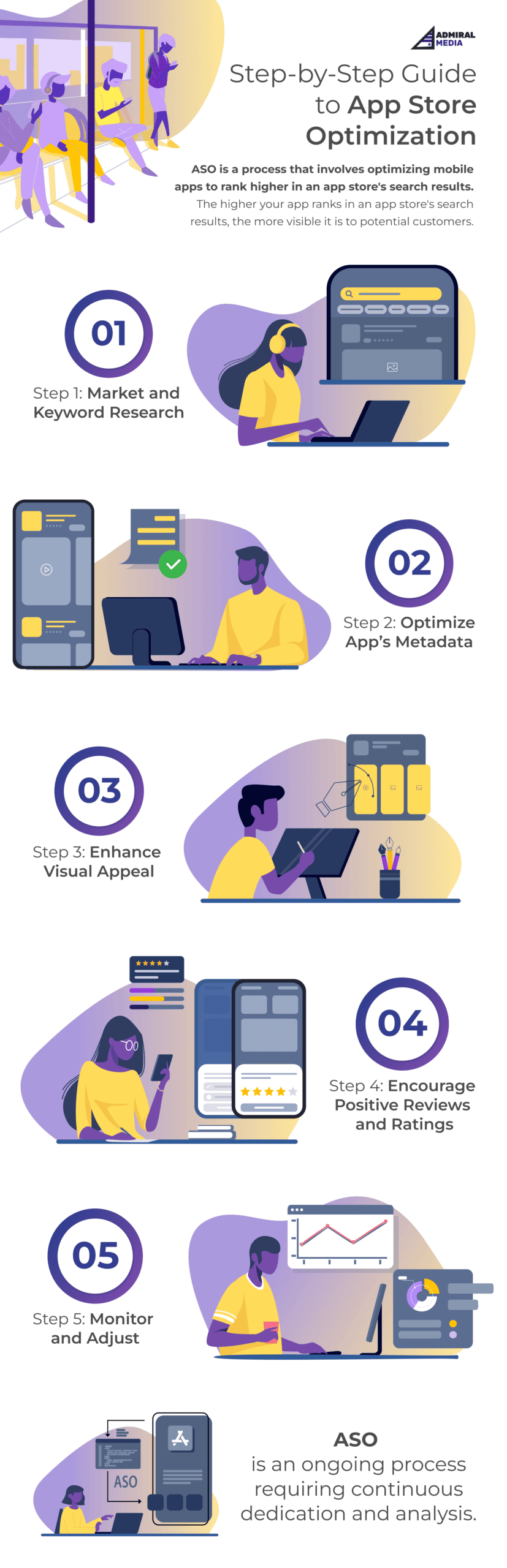
The plan follows the loop from our original guide.
| Days | Focus | What gets done |
|---|---|---|
| 1 to 15 | Audit and baseline | Pull 90 days of store data by source and market. Audit metadata, creative, ratings and events. Map UA creative themes and Apple Ads keyword clusters. Output: a baseline and ranked hypotheses. |
| 16 to 30 | Keywords and metadata | Genre and intent research for your top markets. New title, subtitle and keyword field, plus Google Play title and descriptions, shipped with your next release. |
| 31 to 60 | Creative, CPPs and tests | A new first-three-frames concept and preview video. One Product Page Optimization test and one Store Listing Experiment. Two or three keyword-assigned CPPs for your strongest UA themes, with matching Apple Ads ad groups. |
| 61 to 90 | Live ops, localization, readout | The next season on the store as an In-App Event and promotional content. Keywords and captions localized for your next market. Review prompts moved to win moments. Tests read against the baseline. |
When to bring in an ASO agency for your game
Bring in help when store work falls between teams: UA owns the ads, product owns the events, art owns the creative, and nobody owns the store page. Typical signs: metadata unchanged since launch, tests that never conclude, and live ops that never reach the store. If you plan to hire an ASO agency for gaming app growth, ask how it will connect store work to your user acquisition for mobile games, and compare costs with our published ASO agency pricing.
Frequently asked questions
What is ASO for games?
ASO for games (app store optimization for games) is the work of improving how a mobile game ranks in App Store and Google Play search and how often store visitors install it. It covers keywords, store creative, In-App Events and promotional content, Custom Product Pages, store tests, localization and ratings.
How is mobile game ASO different from ASO for other apps?
Players search by genre, mechanic and theme, so keyword research starts from what people want to play. Store creative must show real gameplay in the first frames. Games also run live ops, which feed In-App Events, Google Play promotional content and the Apple Games app.
Are Custom Product Pages the same as A/B tests?
No. Product Page Optimization is Apple’s A/B test: up to three treatments against your original page for up to 90 days. Custom Product Pages are separate pages, up to 70 per app, for specific audiences reached through ads, links or assigned keywords.
How long does ASO take to show results for a game?
Plan in 90-day cycles. On the App Store, keyword and metadata changes go live with your next approved app version, and store tests run until they reach a result: Apple’s Product Page Optimization runs for up to 90 days, and Google Play stops experiments after six months. Judge changes against a pre-change baseline.
Can we buy reviews or reward players for ratings?
No. Apple says it may expel developers who manipulate reviews or use third-party services to do so, and Google Play prohibits fraudulent or incentivized ratings. Use the native review prompts at a winning moment, such as the end of a level, and answer the reviews you get.
How much does ASO for a mobile game cost?
It depends on the number of stores, markets and creative variants. Admiral Media publishes its prices: managed ASO starts from 2,900 euros per month for one app on the App Store and Google Play in one market, and each additional market adds 1,500 euros per month.
Grow your game’s organic installs
Talk to a senior ASO specialist about your game’s keywords, store creative and Custom Product Pages on the App Store and Google Play.
Book a meeting →