







TikTok offered the App Profile feature we tested in April 2022. This article records that experiment and the interface available to the team at the time. Check the current campaign options in your account before treating the screenshots as setup instructions. First, let’s identify TikTok’s new App Profile Feature. You will find it in the ad section of TikTok inside the app in the App Profile segment. You can edit most things that will be shown in the ad starting from the languages, and also select which highlights you want to show (e.g., Ranking, Ratings, Category, Reviews). 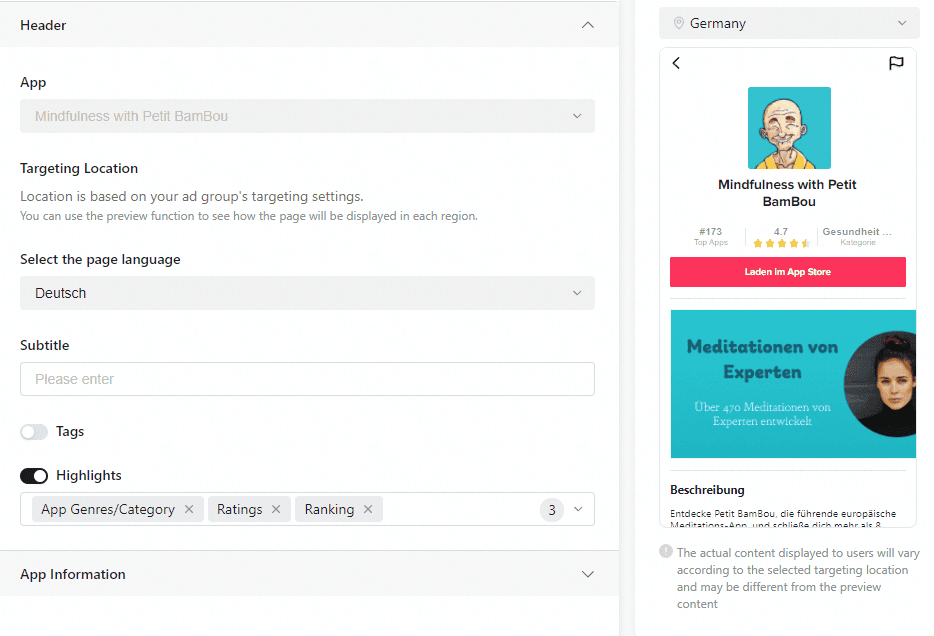 Finally, you can also edit the text and the image that will be displayed. The original text is pre-filled from the App Store directly, but it can be easily adapted to your needs. On the other hand, the images must be manually uploaded.
Table of Contents
Learn More: TikTok Growth Strategy 2023

Then, it shows the following page, where you can already click to download the app. 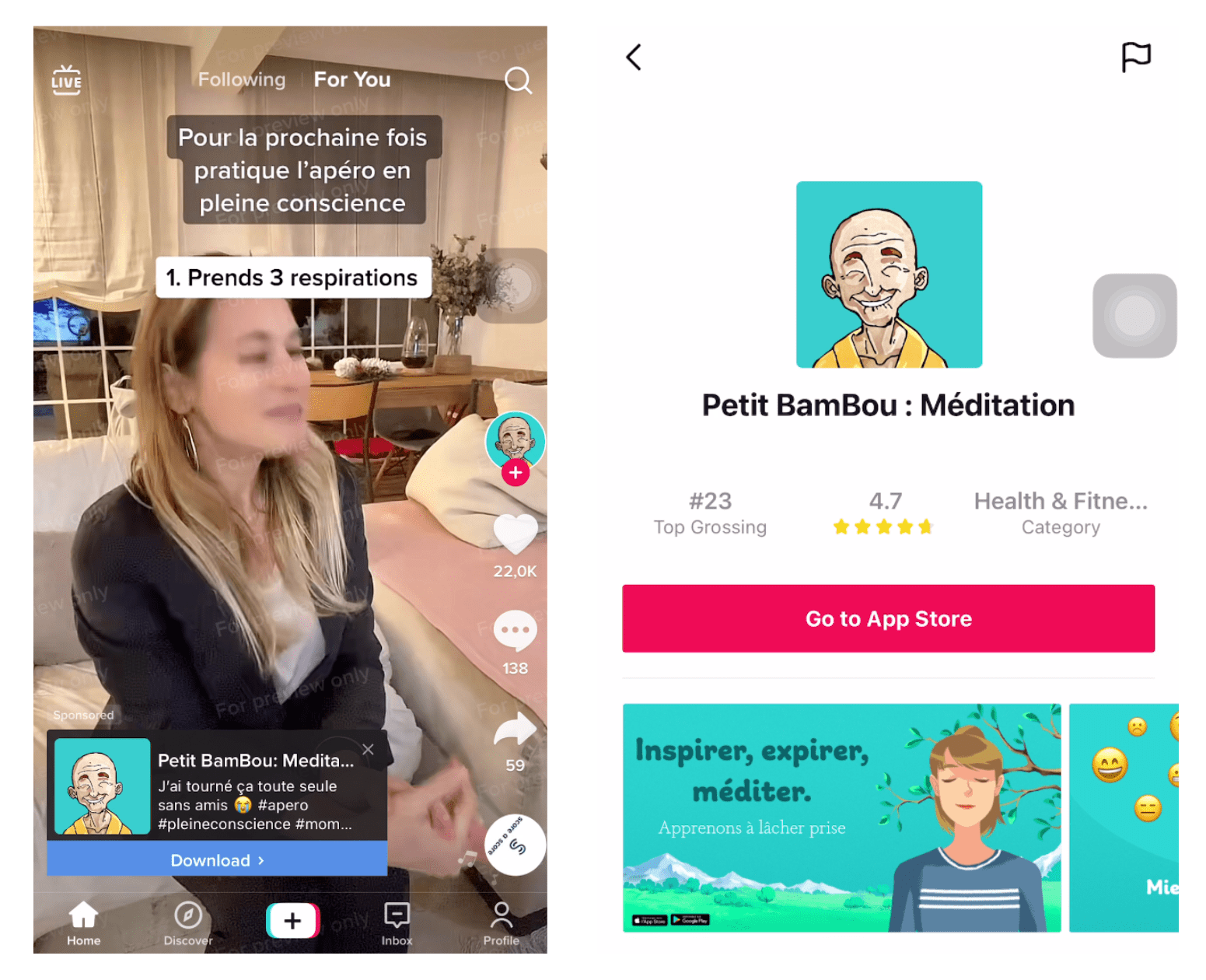
This feature can be enabled for app install campaigns for iOS devices. Unfortunately, it’s not supported for Android apps yet. To see how this feature impacts performance for our campaigns, we generated an A/B test. It consists of two exact campaigns, one containing the ad with the new feature and one without the feature. In the following graph, you can see the difference in performance for the same ad.  We have seen a 26.90% improvement in the CPI for the ad that had the feature enabled.
Conclusion
The observed CPI difference gave us a reason to investigate the feature further within that campaign setup. For your own app, compare a clearly defined treatment with a suitable control, and check downstream user quality as well as CPI. A result from one historical experiment is a test hypothesis for another app, rather than a performance promise.
- Read our complete guide to TikTok Advertising for Marketers!
- 3 things to consider when designing an ad for TikTok.


